Project / Overview
THE BUILD
BEHIND IT.
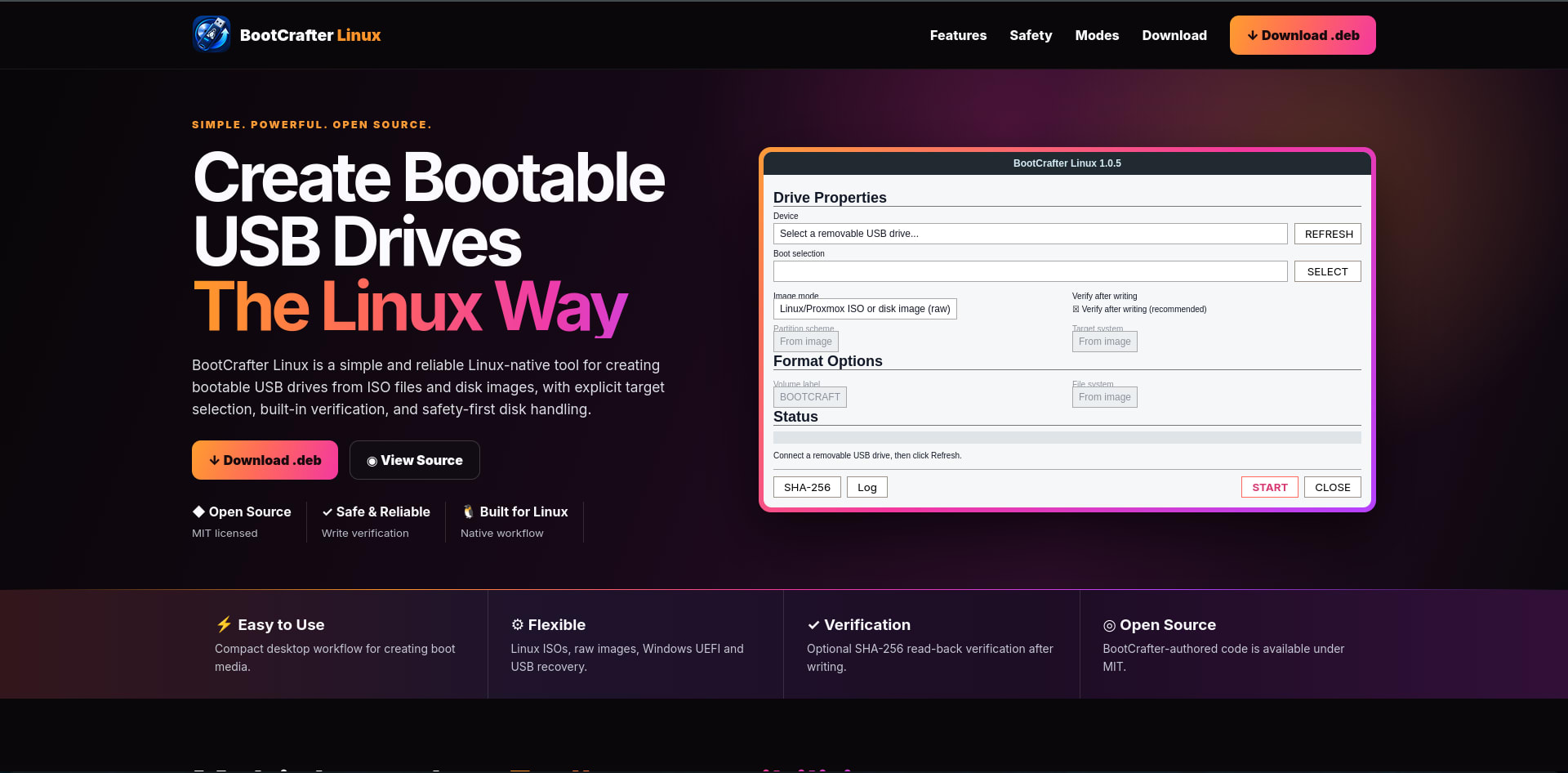
BootCrafter Linux is an open-source bootable USB creation utility built specifically for Linux.
It provides a simple desktop workflow for creating Linux, Proxmox, Windows 10/11 UEFI, and raw-image installation media while placing strong emphasis on protecting the user's system disks from accidental writes.
BootCrafter supports ISO, IMG, RAW, BIN, GZ, XZ, BZ2, ZIP, and optional Zstandard-compressed images. Raw images can be written directly to removable storage and optionally verified afterward using SHA-256 read-back verification.
For Windows installation media, BootCrafter can create FAT32-based UEFI installers and supports oversized install.wim files through wimlib splitting.
The application also includes a USB recovery and formatting mode supporting GPT and MBR partition tables with FAT32, exFAT, NTFS, and ext4 filesystems.
Unlike applications that run their entire interface as root, BootCrafter keeps the graphical interface unprivileged and delegates only destructive disk operations through PolicyKit and pkexec.
Several safety layers are built into the application, including explicit device selection, system-disk protection, active-swap protection, source-on-target checks, target capacity validation, device identity revalidation, and image validation before destructive operations begin.
BootCrafter Linux is developed by CodeDev by Edward and released under the MIT License.
Problem
Creating bootable USB drives on Linux often requires terminal commands or applications that either provide limited safety checks or do not clearly show which physical drive will be overwritten.
For a disk-writing application, selecting the wrong device can permanently destroy important data.
Windows installation media also introduces additional challenges because modern Windows ISO files may contain files larger than FAT32 supports.
02 / SolutionSolution
BootCrafter Linux provides a focused graphical interface for preparing bootable removable media while keeping destructive operations carefully controlled.
Users explicitly choose their target drive and image before anything is erased.
BootCrafter validates the source and destination, protects system-related disks, confirms the selected device again inside its privileged helper, performs the write, flushes the device, and can perform full SHA-256 verification afterward.
It also includes dedicated workflows for Linux/Proxmox images, Windows UEFI installers, and USB recovery.
03 / ChallengeChallenge
The largest engineering challenge was safely interacting with physical block devices.
USB drive paths can change when devices are disconnected and reconnected, desktop environments may automatically remount partitions during operations, and some USB devices do not expose unique serial numbers.
Windows installation media also required special handling for large install.wim files and FAT32 limitations.
BootCrafter addresses these issues through repeated device identity validation, exclusive block-device access, automounter handling, capacity checks, pre-write image validation, PolicyKit privilege separation, and optional post-write verification.
04 / OutcomeOutcome
BootCrafter Linux now provides a compact Linux-native workflow for creating bootable USB media while implementing multiple independent protections against accidental disk destruction.
Version 1.0.5 includes Linux and Proxmox image writing, Windows UEFI installer creation, compressed image support, USB recovery tools, SHA-256 verification, Debian packaging, application icons, automated backend tests, GUI smoke tests, and production-oriented release tooling.
The project is independently developed under the CodeDev by Edward brand and distributed under the MIT License.