Project / Overview
THE BUILD
BEHIND IT.
NexaFetch Studio is a desktop media downloading and management application created by CodeDev by Edward.
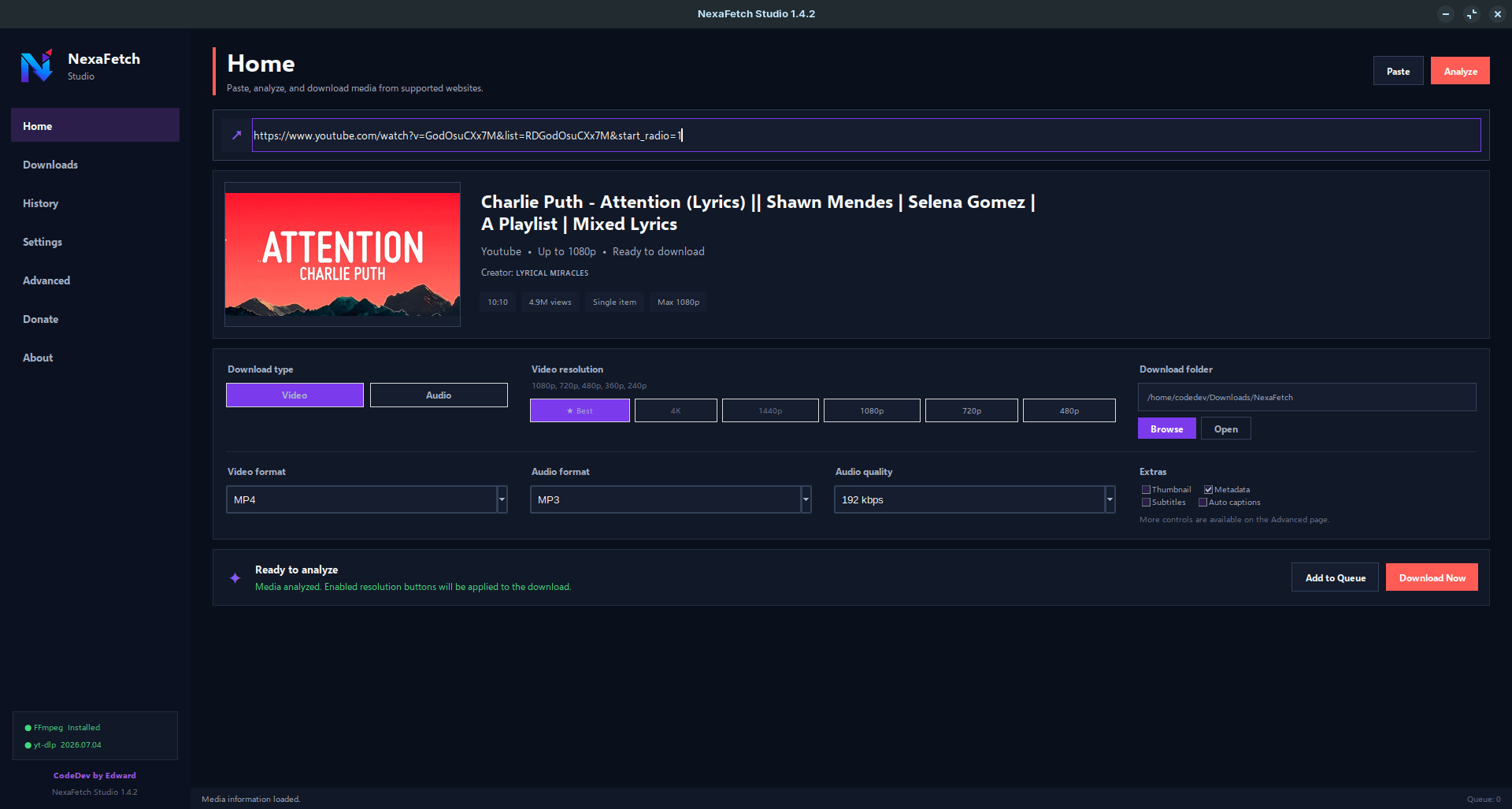
Designed around a focused desktop workflow, NexaFetch allows users to analyze supported media URLs, choose video or audio formats, select available resolutions and quality presets, and manage downloads through an integrated queue.
The application is powered by yt-dlp for media extraction and FFmpeg for media processing. It also supports advanced controls for thumbnails, subtitles, metadata, chapters, playlists, authentication cookies, duplicate-download prevention, and SponsorBlock integration.
NexaFetch includes a dedicated Downloads manager for tracking active, queued, paused, completed, and failed tasks, along with a local History page for organizing previously downloaded media.
The interface is designed as a clean, dark desktop application with configurable download behavior, performance settings, tool detection, clipboard monitoring, and local download management.
NexaFetch is intended for downloading content that you own, content in the public domain, or media you have permission to save.
Problem
Downloading and organizing online media often requires separate command-line tools, manual format selection, and additional processing steps. While tools such as yt-dlp and FFmpeg are powerful, they can be difficult for less technical users to configure and manage, especially when handling multiple downloads, playlists, subtitles, metadata, and different media formats.
02 / SolutionSolution
NexaFetch Studio provides a unified desktop interface around yt-dlp, FFmpeg, and supporting tools. Users can analyze supported media links, choose video or audio formats, select available resolutions, manage a download queue, review download history, and configure advanced options such as subtitles, thumbnails, metadata, chapters, playlists, cookies, and duplicate-download protection.
The goal was to keep the power of established media tools while making the workflow easier to understand and manage from a modern desktop application.
03 / ChallengeChallenge
One of the main challenges was coordinating several external tools while keeping the interface responsive and predictable. Media websites can expose different formats, resolutions, playlists, metadata, and authentication requirements, so the application needed to translate those capabilities into understandable controls.
Download management also required handling queued, active, paused, completed, and failed tasks while keeping status information synchronized with the interface.
04 / OutcomeOutcome
NexaFetch Studio evolved into a feature-focused desktop media utility with a centralized download workflow, queue management, history tracking, configurable quality options, and advanced media controls.
The project demonstrates the integration of Python desktop development with yt-dlp and FFmpeg while maintaining a consistent branded interface for CodeDev by Edward.